





Article
iPhone 17 Pro Max Dermoscopy: How to Optimize High-Resolution Skin Imaging with IBOOLO Universal Adapters
The release of the iPhone 17 Pro Max marks a significant leap in mobile imaging technology. With its advanced sensor upgrades and computational photography, it offers unprecedented potential for clinical documentation. However, how can you transform this powerful smartphone into a clinical-grade dermatoscope? The answer lies in the synergy between high-resolution sensors and IBOOLO’s 10x…
The release of the iPhone 17 Pro Max marks a significant leap in mobile imaging technology. With its advanced sensor upgrades and computational photography, it offers unprecedented potential for clinical documentation. However, how can you transform this powerful smartphone into a clinical-grade dermatoscope? The answer lies in the synergy between high-resolution sensors and IBOOLO’s 10x achromatic lenses, which together capture finer vascular structures and pigment patterns than ever before.
Why is the IBOOLO Universal Adapter the Best Fit for the iPhone 17 Series?
As smartphone manufacturers continue to iterate on camera layouts, the IBOOLO Universal Adapter Kit remains the gold standard for future-proof compatibility. While the iPhone 17 series introduces a sophisticated new lens arrangement, IBOOLO’s engineering ensures professional stability.
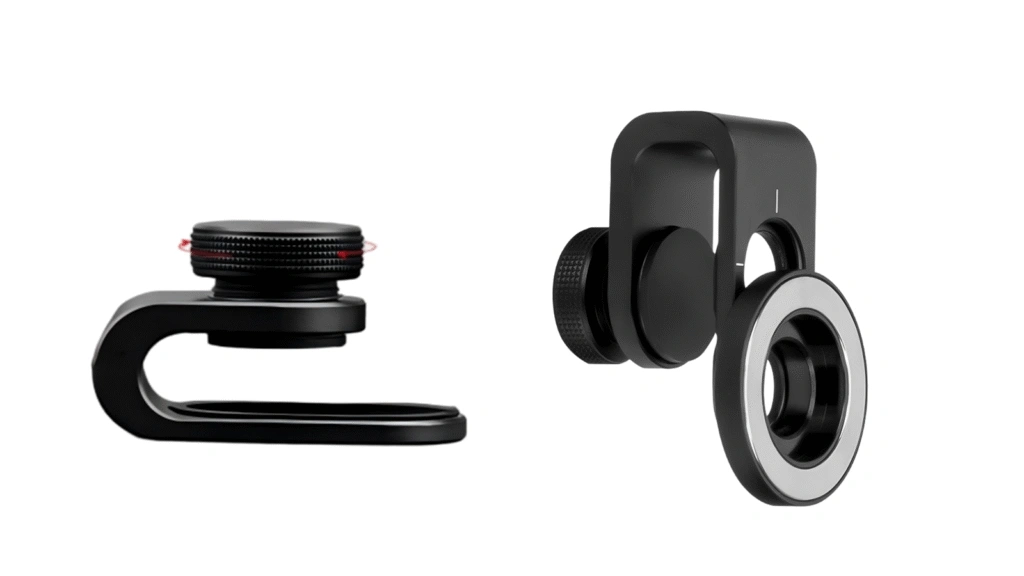
Instead of relying on fixed camera cutouts, the universal mount features a mechanically adjustable alignment system. It allows horizontal and vertical micro-adjustments to precisely align with the main camera, regardless of lens arrangement.
How Can You Properly Mount a Dermatoscope on iPhone 17?
The iPhone 17 Pro’s triple-camera system can be deceptive. To get the most out of your iPhone 17 dermatoscope setup, practitioners must be intentional with their alignment:
How to Stop Auto Macro from Ruining Your Clinical Photos?
(1) Identify the Main Lens: Users must explicitly align the dermatoscope with the 1x Main Camera. This sensor possesses the largest physical footprint and highest pixel density, essential for clinical detail.
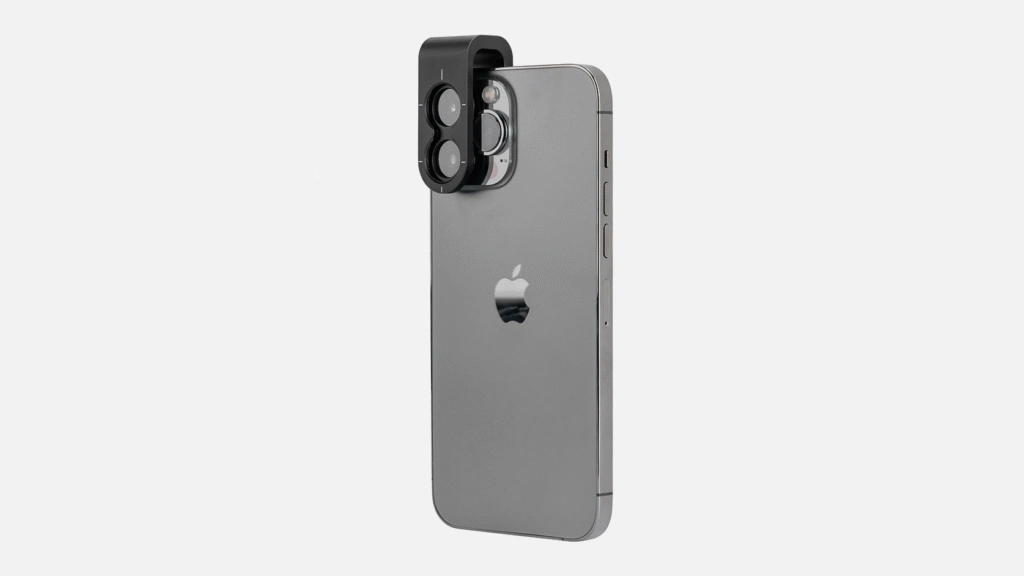
(2) One-Second Magnetic Alignment: Utilize the IBOOLO Magnetic Ring included in the universal kit. Once the primary lens is identified, the magnetic ring allows for rapid attachment and detachment during busy clinic hours.

(3) Pro-Tip for Centering: To prevent edge distortion or black corners, turn on the camera app first and find the optical center before locking the mount. This simple step prevents artifacts caused by misalignment.

How to Stop Auto Macro from Ruining Your Clinical Photos?
One of the biggest hurdles in iPhone 17 Pro Max skin imaging is the device’s native intelligence. The “Auto Macro” feature often causes the software to jump between lenses when it detects the dermatoscope glass, resulting in a blurry or unstable feed.
To stabilize your smartphone dermoscopy settings, follow these steps:
● Go to Settings → Camera → Turn off Auto Macro
● This can stop the system from automatically switching to the Ultra-Wide lens.
● During imaging, press and hold on the lesion area until AE/AF Lock appears.
● This can ensure the iPhone doesn’t hunt for focus through the lens, maintaining a razor-sharp image.

Unsure About Your Phone’s Camera Alignment?
The iPhone 17 Pro Max camera array is highly advanced. Don’t guess which adapter or ring you need—send us your exact phone model, and our optical engineers will confirm the perfect fit for you via WhatsApp.
Verify My Phone Compatibility Now
Technical Support Response Time: < 1 hour (Mon-Sat)
Why Choose Optical Magnification Over Digital AI Enhancements?
The true power of this setup lies in the collaboration between IBOOLO’s hardware and Apple’s high-megapixel sensors.
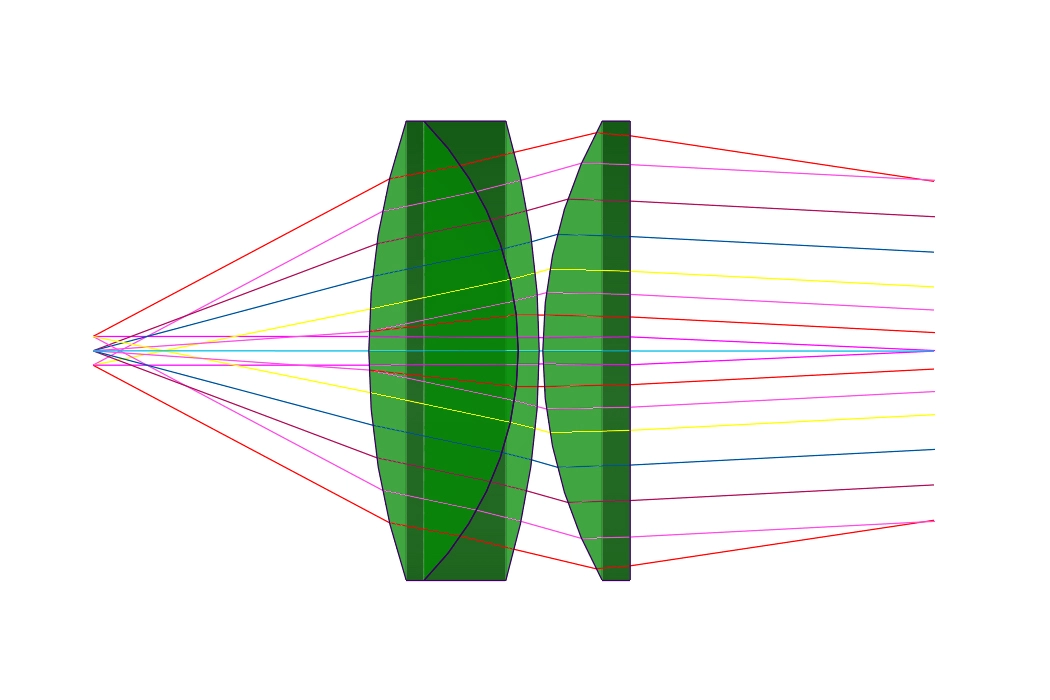
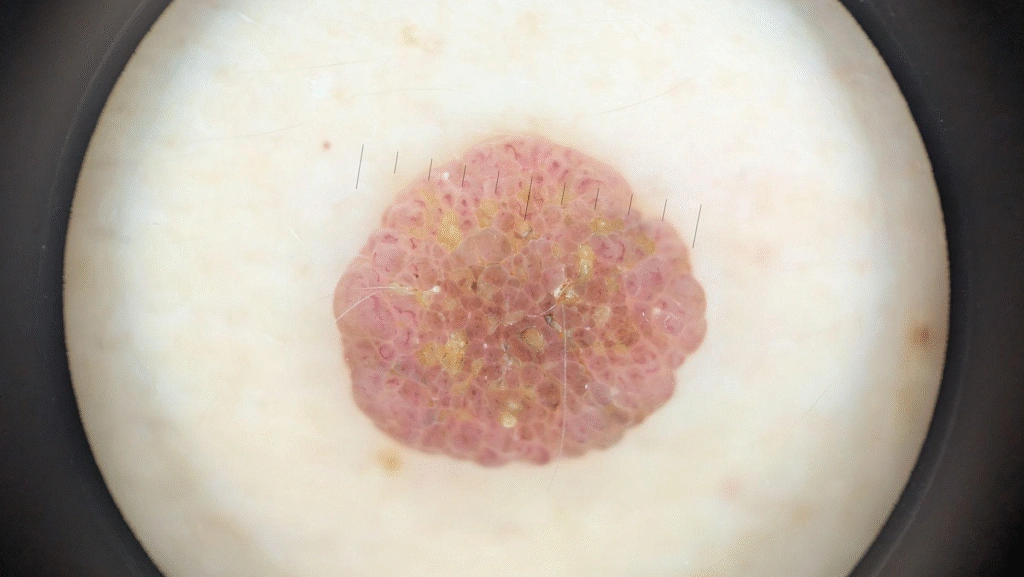
The iPhone 17’s high resolution highlights optical flaws if the lens is poor. IBOOLO’s Achromatic Coating corrects color fringing, ensuring that the colors captured are clinically accurate. On the other hand, while the iPhone offers impressive digital zoom, it often relies on AI upscaling. IBOOLO provides true 10x optical magnification, delivering raw data that provides more evidence-based diagnostic reports for Teledermatology.
Which Model of IBOOLO Dermatoscope is Currently the Best?
The DE-500 stands as IBOOLO’s most advanced pocket dermatoscope to date. Engineered with our latest generation of optical lenses, it delivers industry-leading color fidelity and near-zero distortion, ensuring that every pixel captured by the iPhone 17’s sensor is clinically accurate.
● Instant Magnetic Synergy: Moving away from the threaded connection of the DE-400, the DE-500 introduces a high-strength magnetic mounting system. When paired with the IBOOLO iPhone 17 series dedicated case, you can achieve a seamless “one-second connection” between the dermatoscope and your smartphone.
● The Digital-First Advantage: If your clinical workflow focuses on digital documentation and screen-based analysis rather than naked-eye observation, the DE-500’s streamlined, lens-to-sensor optimized design makes it your absolute best choice for modern teledermatology
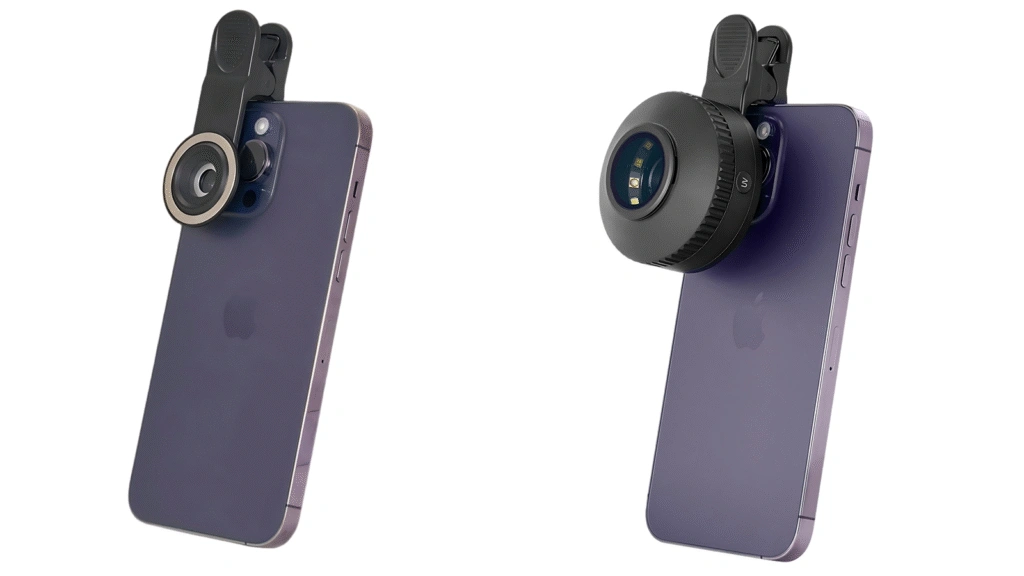
How to Optimize Illumination for the iPhone 17‘s Advanced Photonic Engine?
The iPhone 17 Pro Max utilizes a refined Photonic Engine that aggressively processes shadows and highlights. When using a dermatoscope, this can sometimes lead to “over-processed” textures if the lighting isn’t controlled.
IBOOLO dermatoscopes offer seamless switching between polarized and non-polarized light. For the iPhone 17, using cross-polarization is essential to eliminate surface glare, allowing the sensor to focus deep into the dermo-epidermal junction.
The IBOOLO high-CRI (Color Rendering Index) LEDs complement the iPhone’s advanced white balance algorithms, ensuring that subtle erythema and pigment variations are rendered with true-to-life accuracy, essential for tracking lesion progression.
How Can This Setup Improve Clinical Documentation Standards?
In modern dermatology practice, image consistency is as important as image clarity. The combination of iPhone 17 Pro Max and IBOOLO’s optical system allows standardized lesion documentation across different time points, lighting conditions, and clinical environments.
With fixed optical magnification, controlled exposure (AE/AF Lock), and precise central alignment, physicians can build longitudinal image databases suitable for follow-up comparison, academic case studies, and structured medical reporting.
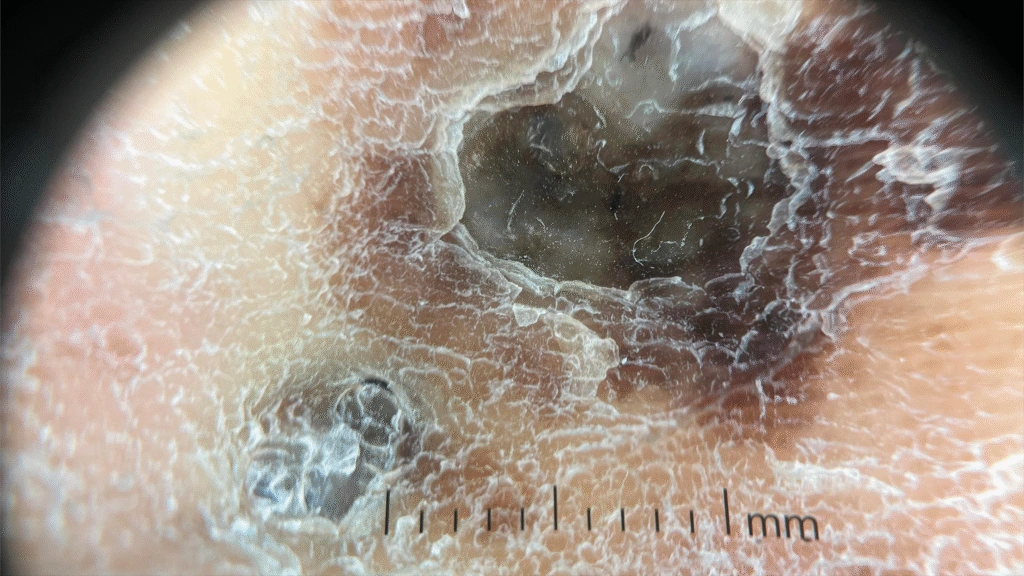
What Is the Future of Smartphone Dermoscopy?
As smartphone sensors continue to evolve, the limiting factor in mobile dermoscopy will increasingly shift from pixels to optics and alignment precision. Hardware synergy—rather than software enhancement—will define clinical-grade performance.
When properly configured, the iPhone 17 series paired with IBOOLO optics functions as a portable, high-resolution mobile workstation for dermatology professionals.
For clinicians seeking precision, portability, and repeatable results, this combination represents one of the most advanced mobile dermoscopy solutions currently available.
Ready to Elevate Your Diagnostic Standards?
Transform your smartphone into a clinical-grade workstation with the IBOOLO DE-500 and our future-proof Universal Mount.
Premium optical performance across a highly competitive $79 – $799 price tier.
Medical Distributors
Apply for Wholesale & OEM Pricing →Clinics & Hospitals
Contact Us for Bulk Procurement →Instant Consultation
Chat on WhatsApp (Live Support) →
The IBOOLO Advantage
Free International Shipping | Industry-Leading 2-Year Warranty | Custom Logo & Optics Options | Guaranteed Response Within 24 Hours.