




iPhone 17 Pro Max Dermoscopy: How to Optimize High-Resolution Skin Imaging with IBOOLO Universal Adapters – IBOOLO

Shenzhen Iboolo Optics Co.Ltd is a reliable leading manufacturer and distributor in the field of camera lens. The products include Macro lens, Woods Lamp, Dermatoscope and Microscope.

Article

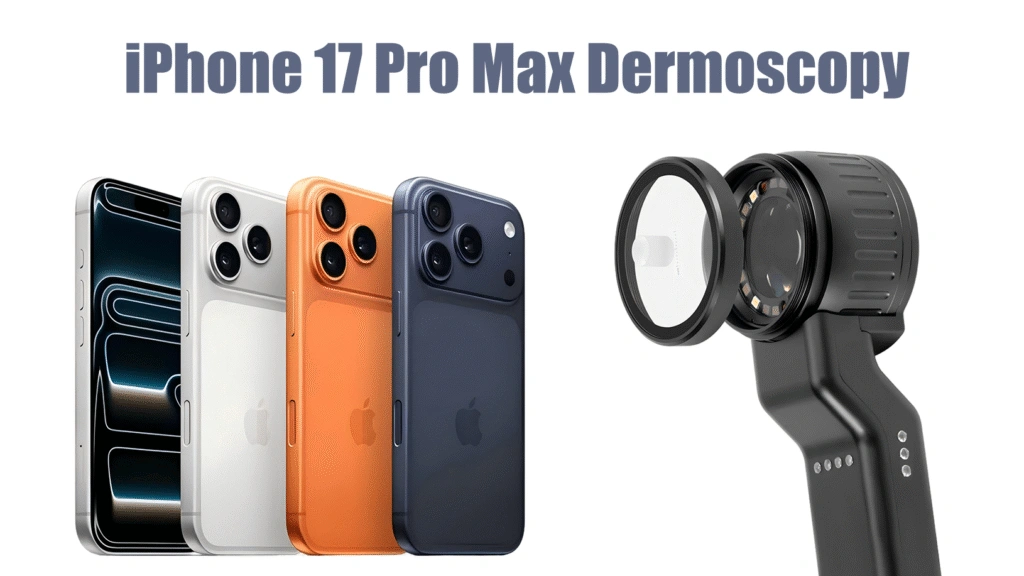
iPhone 17 Pro Max Dermoscopy: How to Optimize High-Resolution Skin Imaging with IBOOLO Universal Adapters

The release of the iPhone 17 Pro Max marks a significant leap in mobile imaging technology. With its advanced sensor upgrades and computational photography, it offers unprecedented potential for clinical documentation. However, how can you transform this powerful smartphone into a clinical-grade dermatoscope? The answer lies in the synergy between high-resolution sensors and IBOOLO’s 10x…

The release of the iPhone 17 Pro Max marks a significant leap in mobile imaging technology. With its advanced sensor upgrades and computational photography, it offers unprecedented potential for clinical documentation. However, how can you transform this powerful smartphone into a clinical-grade dermatoscope? The answer lies in the synergy between high-resolution sensors and IBOOLO’s 10x achromatic lenses, which together capture finer vascular structures and pigment patterns than ever before.

Why is the IBOOLO Universal Adapter the Best Fit for the iPhone 17 Series?

As smartphone manufacturers continue to iterate on camera layouts, the IBOOLO Universal Adapter Kit remains the gold standard for future-proof compatibility. While the iPhone 17 series introduces a sophisticated new lens arrangement, IBOOLO’s engineering ensures professional stability.

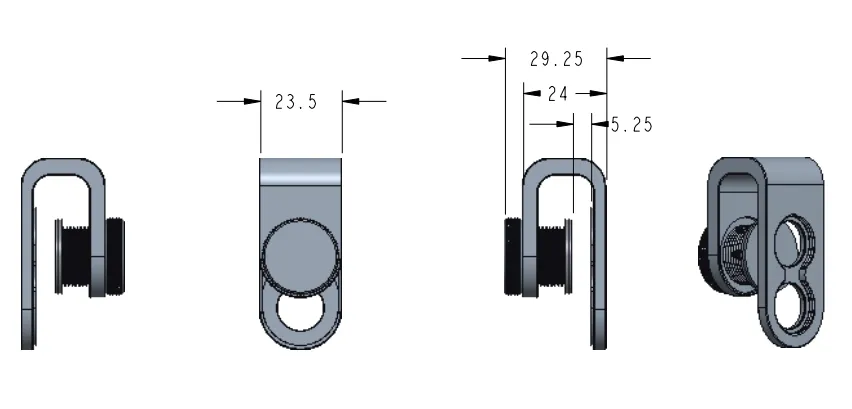
Instead of relying on fixed camera cutouts, the universal mount features a mechanically adjustable alignment system. It allows horizontal and vertical micro-adjustments to precisely align with the main camera, regardless of lens arrangement.
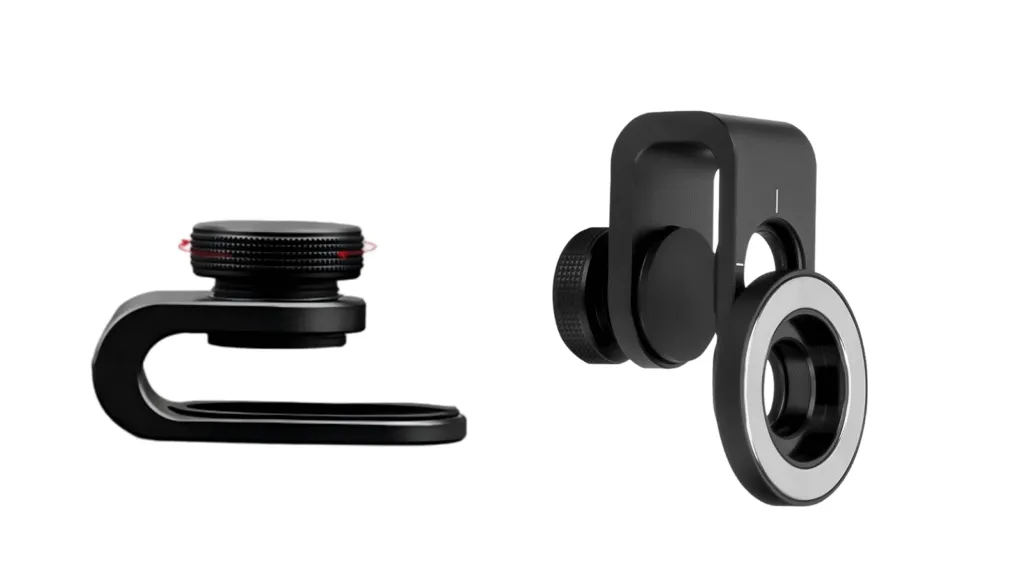
phone adapter

How Can You Properly Mount a Dermatoscope on iPhone 17?

The iPhone 17 Pro’s triple-camera system can be deceptive. To get the most out of your iPhone 17 dermatoscope setup, practitioners must be intentional with their alignment:

How to Stop Auto Macro from Ruining Your Clinical Photos?

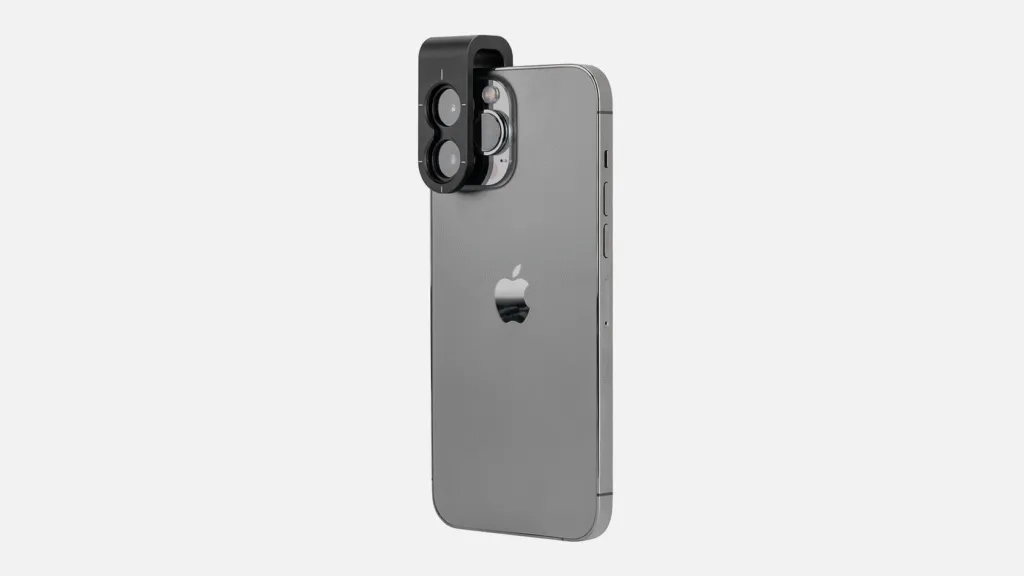
(1) Identify the Main Lens: Users must explicitly align the dermatoscope with the 1x Main Camera. This sensor possesses the largest physical footprint and highest pixel density, essential for clinical detail.
IBOOLO Dermatoscope User Guide 1

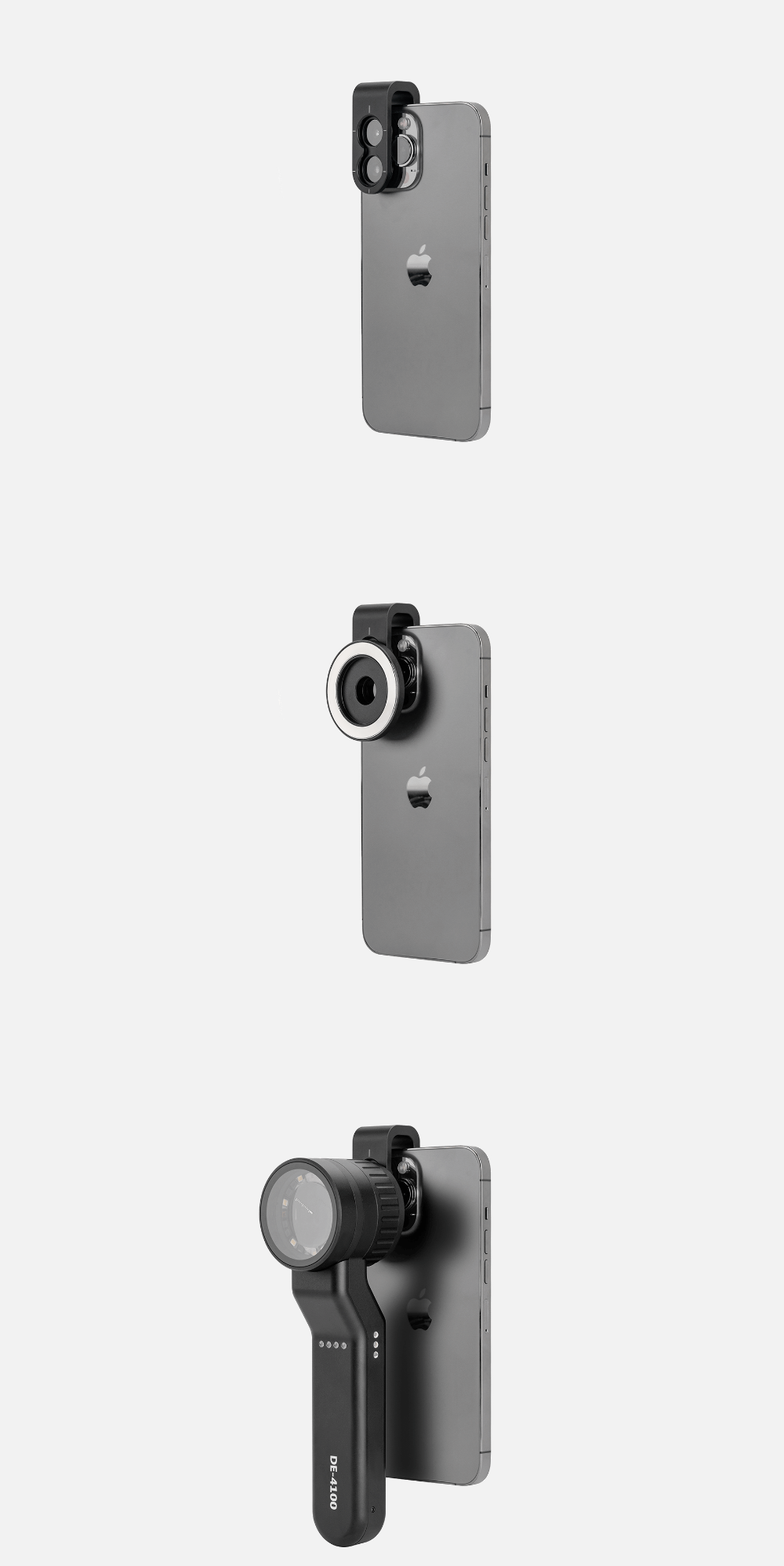
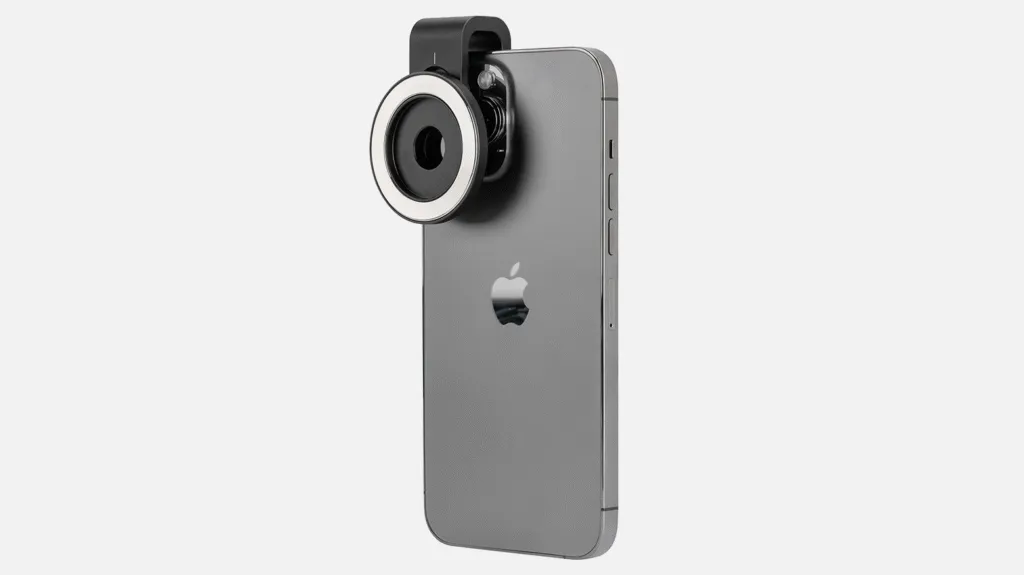
(2) One-Second Magnetic Alignment: Utilize the IBOOLO Magnetic Ring included in the universal kit. Once the primary lens is identified, the magnetic ring allows for rapid attachment and detachment during busy clinic hours.
IBOOLO Dermatoscope User Guide 2

(3) Pro-Tip for Centering: To prevent edge distortion or black corners, turn on the camera app first and find the optical center before locking the mount. This simple step prevents artifacts caused by misalignment.
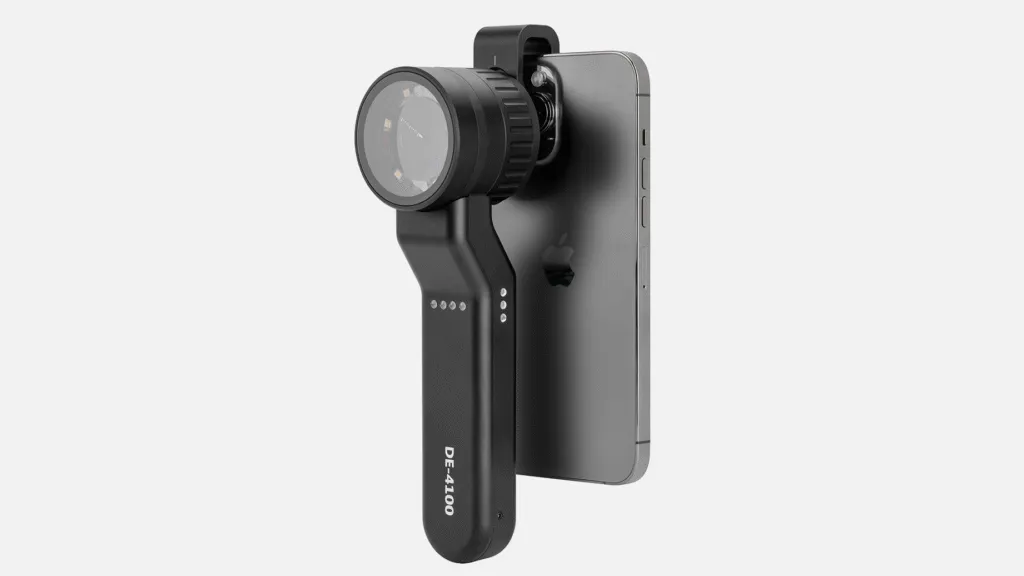
IBOOLO Dermatoscope User Guide 1

How to Stop Auto Macro from Ruining Your Clinical Photos?

One of the biggest hurdles in iPhone 17 Pro Max skin imaging is the device’s native intelligence. The “Auto Macro” feature often causes the software to jump between lenses when it detects the dermatoscope glass, resulting in a blurry or unstable feed.

To stabilize your smartphone dermoscopy settings, follow these steps:

● Go to Settings → Camera → Turn off Auto Macro

● This can stop the system from automatically switching to the Ultra-Wide lens.

● During imaging, press and hold on the lesion area until AE/AF Lock appears.

● This can ensure the iPhone doesn’t hunt for focus through the lens, maintaining a razor-sharp image.

Why Choose Optical Magnification Over Digital AI Enhancements?

The true power of this setup lies in the collaboration between IBOOLO’s hardware and Apple’s high-megapixel sensors.

The iPhone 17’s high resolution highlights optical flaws if the lens is poor. IBOOLO’s Achromatic Coating corrects color fringing, ensuring that the colors captured are clinically accurate. On the other hand, while the iPhone offers impressive digital zoom, it often relies on AI upscaling. IBOOLO provides true 10x optical magnification, delivering raw data that provides more evidence-based diagnostic reports for Teledermatology.
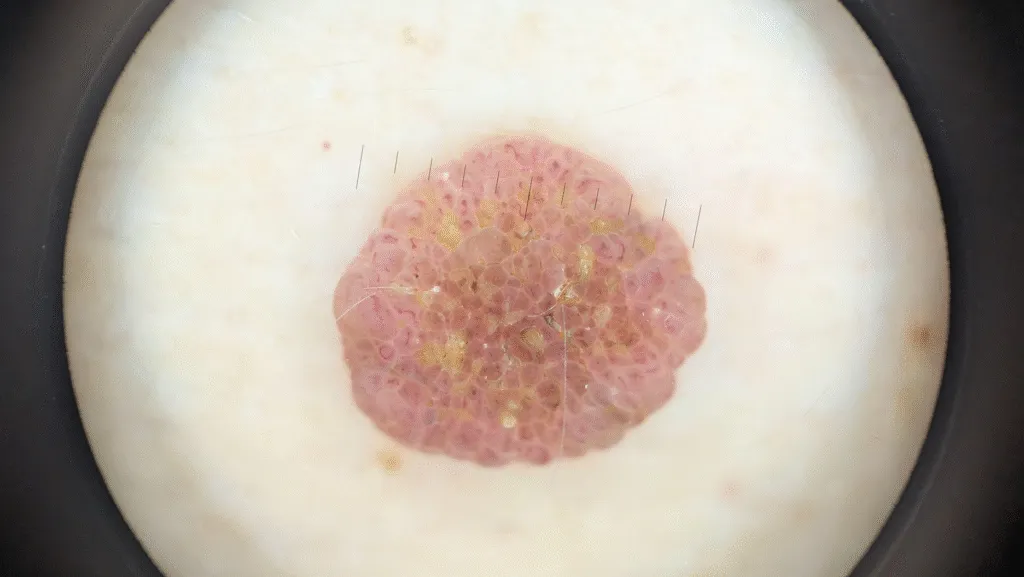
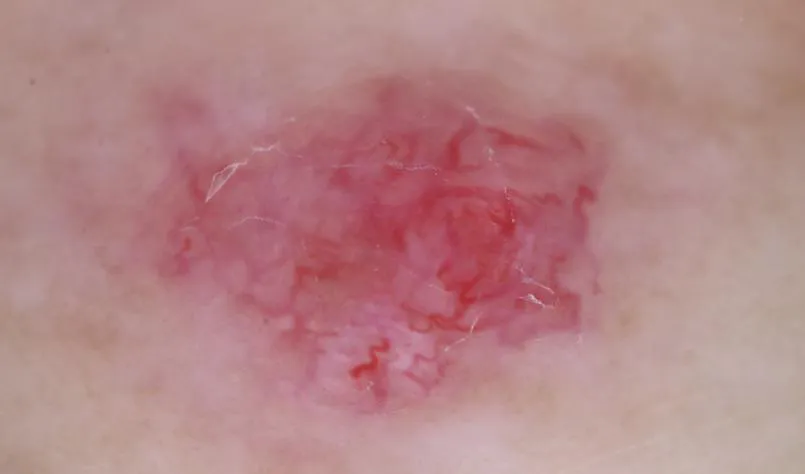
IBOOLO DE-500 Intradermal nevus
IBOOLO DE-500 Intradermal Nevus

Which Model of IBOOLO Dermatoscope is Currently the Best?

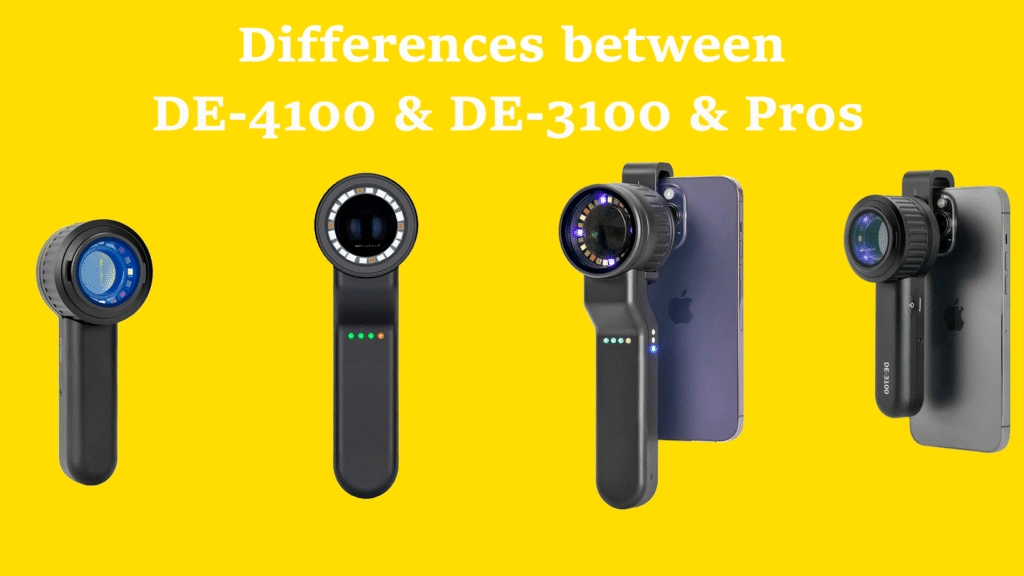
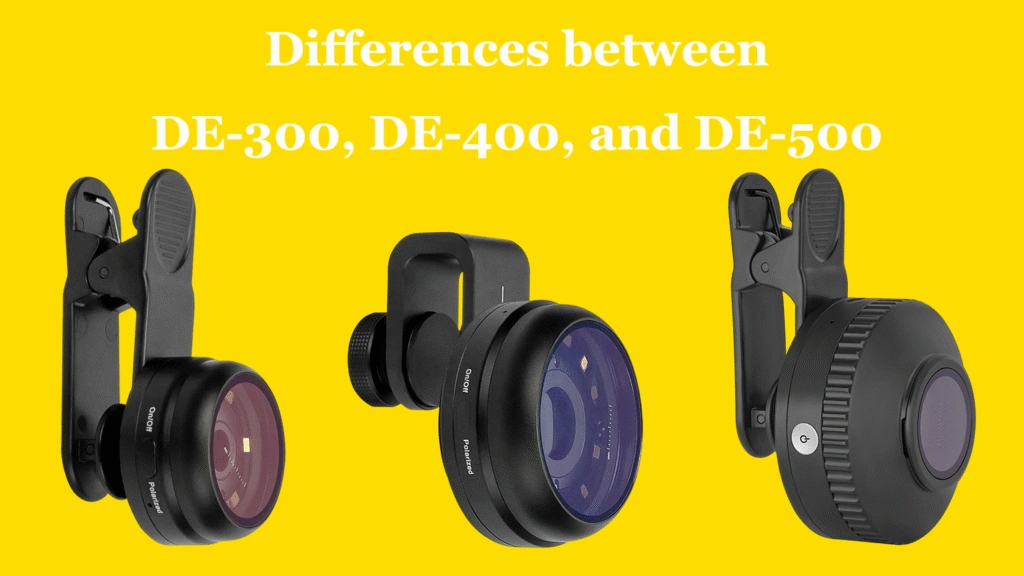
The DE-500 stands as IBOOLO’s most advanced pocket dermatoscope to date. Engineered with our latest generation of optical lenses, it delivers industry-leading color fidelity and near-zero distortion, ensuring that every pixel captured by the iPhone 17’s sensor is clinically accurate.

● Instant Magnetic Synergy: Moving away from the threaded connection of the DE-400, the DE-500 introduces a high-strength magnetic mounting system. When paired with the IBOOLO iPhone 17 series dedicated case, you can achieve a seamless “one-second connection” between the dermatoscope and your smartphone.

● The Digital-First Advantage: If your clinical workflow focuses on digital documentation and screen-based analysis rather than naked-eye observation, the DE-500’s streamlined, lens-to-sensor optimized design makes it your absolute best choice for modern teledermatology
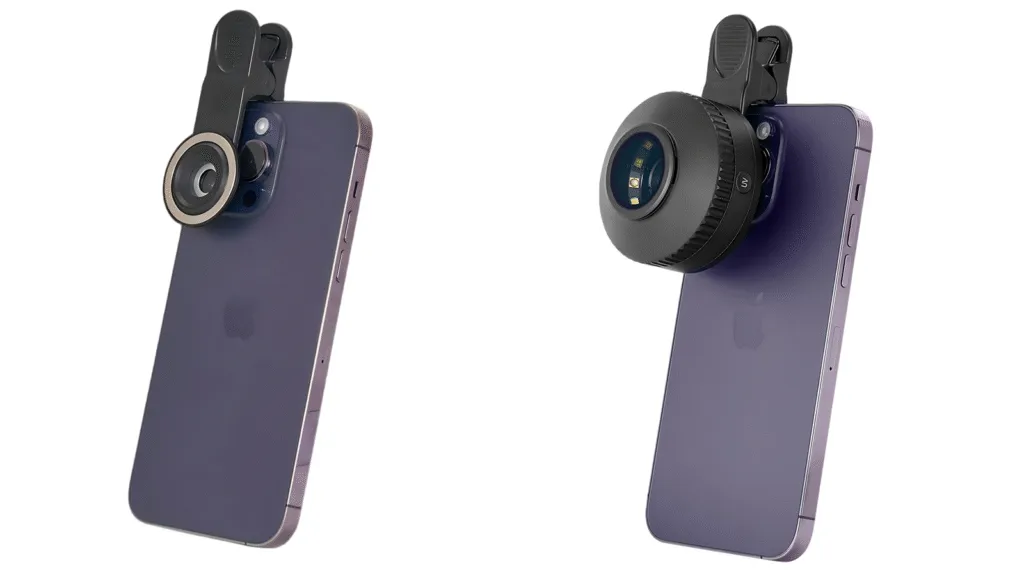
DE-500 Magnetic attachment
IBOOLO DE-500 Dermatoscope

How to Optimize Illumination for the iPhone 17s Advanced Photonic Engine?

The iPhone 17 Pro Max utilizes a refined Photonic Engine that aggressively processes shadows and highlights. When using a dermatoscope, this can sometimes lead to “over-processed” textures if the lighting isn’t controlled.

IBOOLO dermatoscopes offer seamless switching between polarized and non-polarized light. For the iPhone 17, using cross-polarization is essential to eliminate surface glare, allowing the sensor to focus deep into the dermo-epidermal junction.

The IBOOLO high-CRI (Color Rendering Index) LEDs complement the iPhone’s advanced white balance algorithms, ensuring that subtle erythema and pigment variations are rendered with true-to-life accuracy, essential for tracking lesion progression.

How Can This Setup Improve Clinical Documentation Standards?

In modern dermatology practice, image consistency is as important as image clarity. The combination of iPhone 17 Pro Max and IBOOLO’s optical system allows standardized lesion documentation across different time points, lighting conditions, and clinical environments.

With fixed optical magnification, controlled exposure (AE/AF Lock), and precise central alignment, physicians can build longitudinal image databases suitable for follow-up comparison, academic case studies, and structured medical reporting.
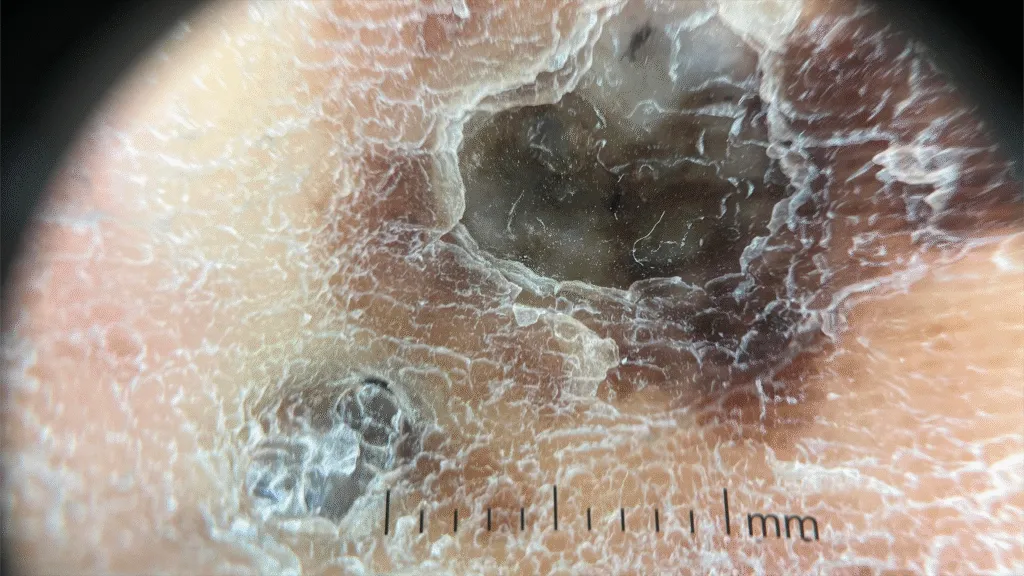
IBOOLO DE-4100 effect
Melanoma under DE-4100 Dermatoscope

What Is the Future of Smartphone Dermoscopy?

As smartphone sensors continue to evolve, the limiting factor in mobile dermoscopy will increasingly shift from pixels to optics and alignment precision. Hardware synergy—rather than software enhancement—will define clinical-grade performance.

When properly configured, the iPhone 17 series paired with IBOOLO optics functions as a portable, high-resolution mobile workstation for dermatology professionals.

For clinicians seeking precision, portability, and repeatable results, this combination represents one of the most advanced mobile dermoscopy solutions currently available.

Explore the latest Universal dermatoscope mount components at the IBOOLO store. 
Share this article

0

No products in the cart.

Ask

Have questions on gear or your order?

Our Gear Guides are here to help! Get personal advice from pro creatives

Name
Subject
Email address
How can we help?
Answers

Instant Answers

How can dermoscopy images be captured?

Dermoscopy images can be captured and stored in different ways, such as: • Using a smartphone or tablet with dermoscopic adapter, which consisted in the package.• Using a digital camera

Dermoscopy images can be captured and stored in different ways, such as:

• Using a smartphone or tablet with dermoscopic adapter, which consisted in the package.
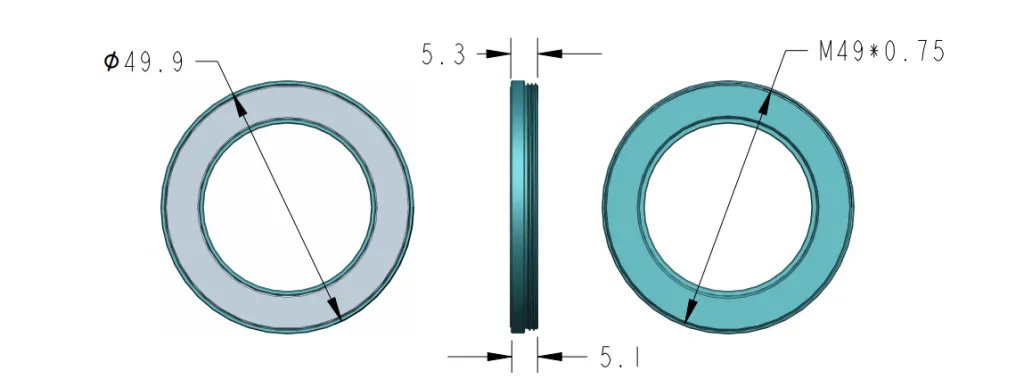
• Using a digital camera with dermoscopic adapter, there’s 49mm screw size camera adapter available to order now.

Compatible phone/tablet models:
All iPhone models, 95% Android phones, 90% tablet. For phone/tablet size in 5.25-14mm

Compatible camera models:
All camera with built 49mm filter screw, such as Canon EOS 70D, 80D, 90D; Canon EOS R7, R10, R50, R100; Canon M100, M200, M50, Mark II; Canon G7X Mark III, Sony ZV-1

How can I connect my phone to my dermatoscope?

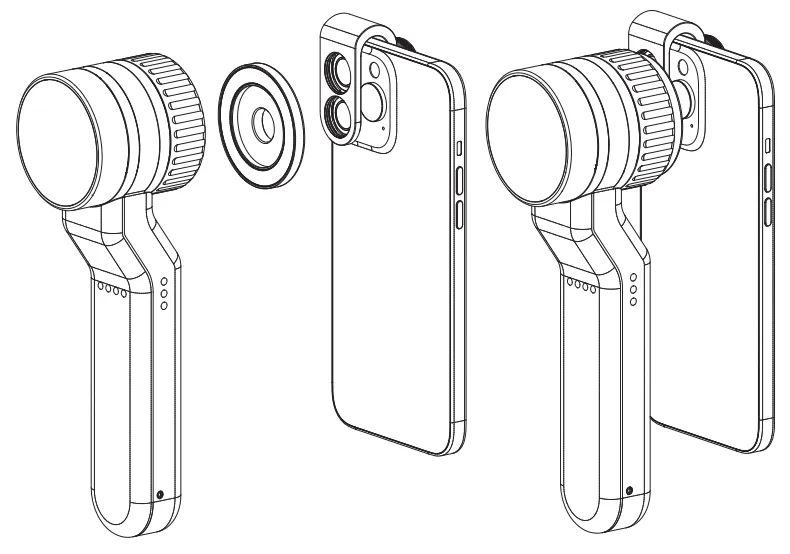
There’s universal phone adapter for all our dermoscopes. Please check the installation procedure bellow or watch operation guide. Smartphone Connector (1) Place phone adapter screw in the center of smartphone’s

There’s universal phone adapter for all our dermoscopes. Please check the installation procedure bellow or watch operation guide.

Smartphone Connector

(1) Place phone adapter screw in the center of smartphone’s main camera.
(2) Screw magnet attachment on phone adapter.
(3) Put dermoscope’s back ring and magnet attachment together

Take The Best Images

You need to adjust the focus ring after the dermoscpe connected on smartphone to get the best images.

How can I clean my dermoscopy after usage?

Cleaning your dermoscopy after usage is important to prevent cross-contamination and infection. The cleaning method may vary depending on the type and model of your dermoscopy, so you should always

Cleaning your dermoscopy after usage is important to prevent cross-contamination and infection. The cleaning method may vary depending on the type and model of your dermoscopy, so you should always follow the manufacturer’s instructions. However, some general steps are:

• Turn off and disconnect your dermoscopy from any power source or device.

• Wipe off any visible dirt or debris from the dermoscopy with a soft cloth or tissue.

• Disinfect the dermoscopy with an alcohol-based wipe or spray, or a disinfectant solution recommended by the manufacturer. Make sure to cover all surfaces, especially the lens and contact plate.

• Let the dermoscopy air dry completely before storing it in a clean and dry place.

• Do not use abrasive or corrosive cleaners, solvents, or detergents that may damage the dermoscopy.

• Do not immerse the dermoscopy in water or any liquid, unless it is waterproof and designed for immersion.

You should clean your dermoscopy after each use, or at least once a day if you use it frequently. You should also check your dermoscopy regularly for any signs of damage or malfunction, and contact the manufacturer or service provider if needed.

Polarized VS Non-polarized Dermoscopy

A dermoscopy is a device that allows the examination of skin lesions with magnificationand illumination. By revealing subsurface structures and patterns that are not visible tothe naked eye. It can

A dermoscopy is a device that allows the examination of skin lesions with magnificationand illumination. By revealing subsurface structures and patterns that are not visible tothe naked eye. It can improve the diagnose accuracy of skin lesions, such as melanoma,basal cell carcinoma, seborrheic keratosis, etc.

There are two main types of dermoscopy: Non polarized and polarized dermoscopy.We’ve fitted most of our dermoscopys with polarized and non-polarized light. They canbe used in multiple skin structures.

Non-polarized contact Mode

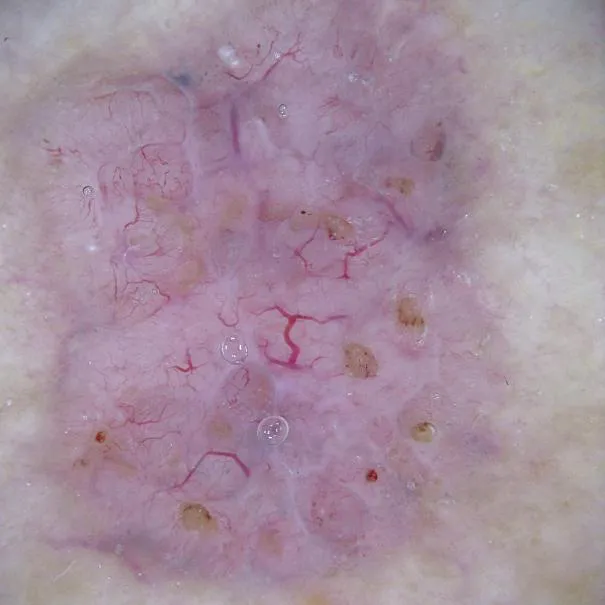
In non-polarized mode, the instrument can provide information about the superficialskin structures, such as milia-like cysts, comedo-like openings, and pigment in theepidemis.

The dermoscopy requires applying a liquid such as mineral oil or alcohol to the skin andplacing the lens in contact with the skin. This reduces surface reflection and enhancesthe view of subsurface structures.

Image with non-polarized light (DE-3100)

Polarized contact Mode

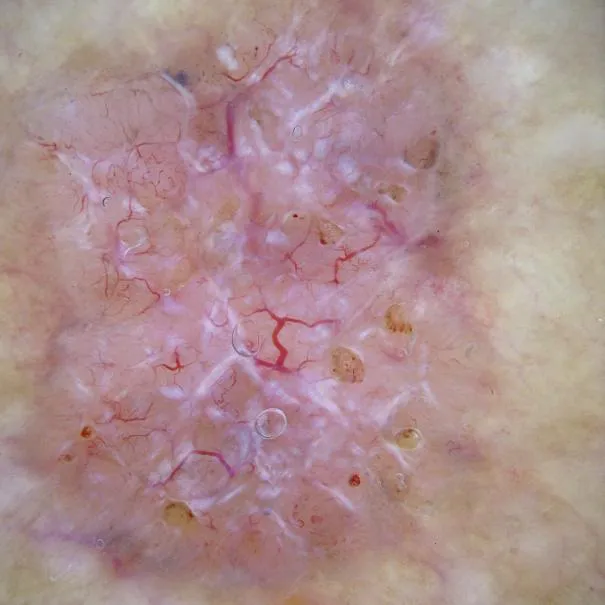
In polarized mode, the instrument allows for visualization for deeper skin structures,such as blood vessels, collagen, and pigment in the dermis.

The dermoscopy does not need to be in contact with the skin or use any liquid. Theirpolarized light can help to eliminate surface reflection and allow visualization ofvascular structures.

Image with polarized light (DE-3100)

Polarized non-contact Mode

The dermoscopy can also use polarized light to examine the skin without direct contact.

In polarized non-contact mode, the instrument allows for examination infected areasand lesions that are painful for the patient, or the difficult to contact pigmented lesions,such as nails and narrow areas.

The contact plate should be removed in this mode, and it does not require applying aliquid to the skin. As it doesn’t require pressure or fluid application on the skin, it canalso avoid cross-contamination and infection risk.

Image in polarized non-contact mode (DE-3100)

How effectiveness is dermoscopy

Compared with visual inspection, the dermoscopy can be used to capture and store skin lesion photos, which play an important role in early skin cancer examination. The dermoscopy allows the

Compared with visual inspection, the dermoscopy can be used to capture and store skin lesion photos, which play an important role in early skin cancer examination.

The dermoscopy allows the examination of skin lesions with magnification and illumination. This can be greatly avoiding the factors that cause interference to visual detection. Such as lighting, skin color, hair and cosmetics.

Several studies have demonstrated that dermoscopy is useful in the identification of melanoma, when used by a trained professional.

It may improve the accuracy of clinical diagnosis by up to 35%
It may reduce the number of harmless lesions that are removed
In primary care, it may increase the referral of more worrisome lesions and reduce the referral of more trivial ones

A 2018 Cochrane meta-analysis published the accuracy of dermoscopy in the detection.

Table 1. Accuracy of dermoscopy in the detection of melanoma in adults
Detection Method Sensitivity, % Specificity, % Positive Likelihood Ratio NegativeLikelihood Ratio
Visual inspection alone (in person) 76 75 3.04 0.32
Dermoscopy with visual inspection (in person) 92 95 18 0.08
Image-based visual inspection alone (not in person) 47 42 0.81 1.3
Dermoscopy with image-based visual inspection (not in person) 81 82 4.5 0.23
ROC—receiver operating characteristic. *Estimated sensitivity calculated on the summary ROC curve at a fixed specificity of 80%.

As we can see, the dermoscope can improve the accuracy of diagnosis of skin lesions, especially melanoma.

Table 1. Accuracy of dermoscopy in the detection of melanoma in adults
Detection Method Sensitivity, % Specificity, % Positive Likelihood Ratio NegativeLikelihood Ratio
Visual inspection alone (in person) 79 77 3.4 0.27
Dermoscopy with visual inspection (in person) 93 99 93 0.07
Image-based visual inspection alone (not in person) 85 87 6.5 0.17
Dermoscopy with image-based visual inspection (not in person) 93 96 23 0.07
ROC—receiver operating characteristic. *Estimated sensitivity calculated on the summary ROC curve at a fixed specificity of 80%.

Characteristics of the dermatoscopic structure of the skin lesions include:

• Symmetry or asymmetry
• Homogeny/uniformity (sameness) or heterogeny (structural differences across the lesion)
• Distribution of pigment: brown lines, dots, clods and structureless areas
• Skin surface keratin: small white cysts, crypts, fissures
• Vascular morphology and pattern: regular or irregular
• Border of the lesion: fading, sharply cut off or radial streaks
• Presence of ulceration

There are specific dermoscopic patterns that aid in the diagnosis of the following pigmented skin lesions:

• Melanoma
• Moles (benign melanocytic naevus)
• Freckles (lentigos)
• Atypical naevi
• Blue naevi
• Seborrhoeic keratosis
• Pigmented basal cell carcinoma
• Haemangioma

We use cookies on this website to provide a better user experience. By continuing to browse the website, you are giving your consent to receive cookies on this site. For more details please read our Privacy Policy.

Hot Search Terms